Energy, Simplified.

High-Stakes Energy Management for the Modern Nomad

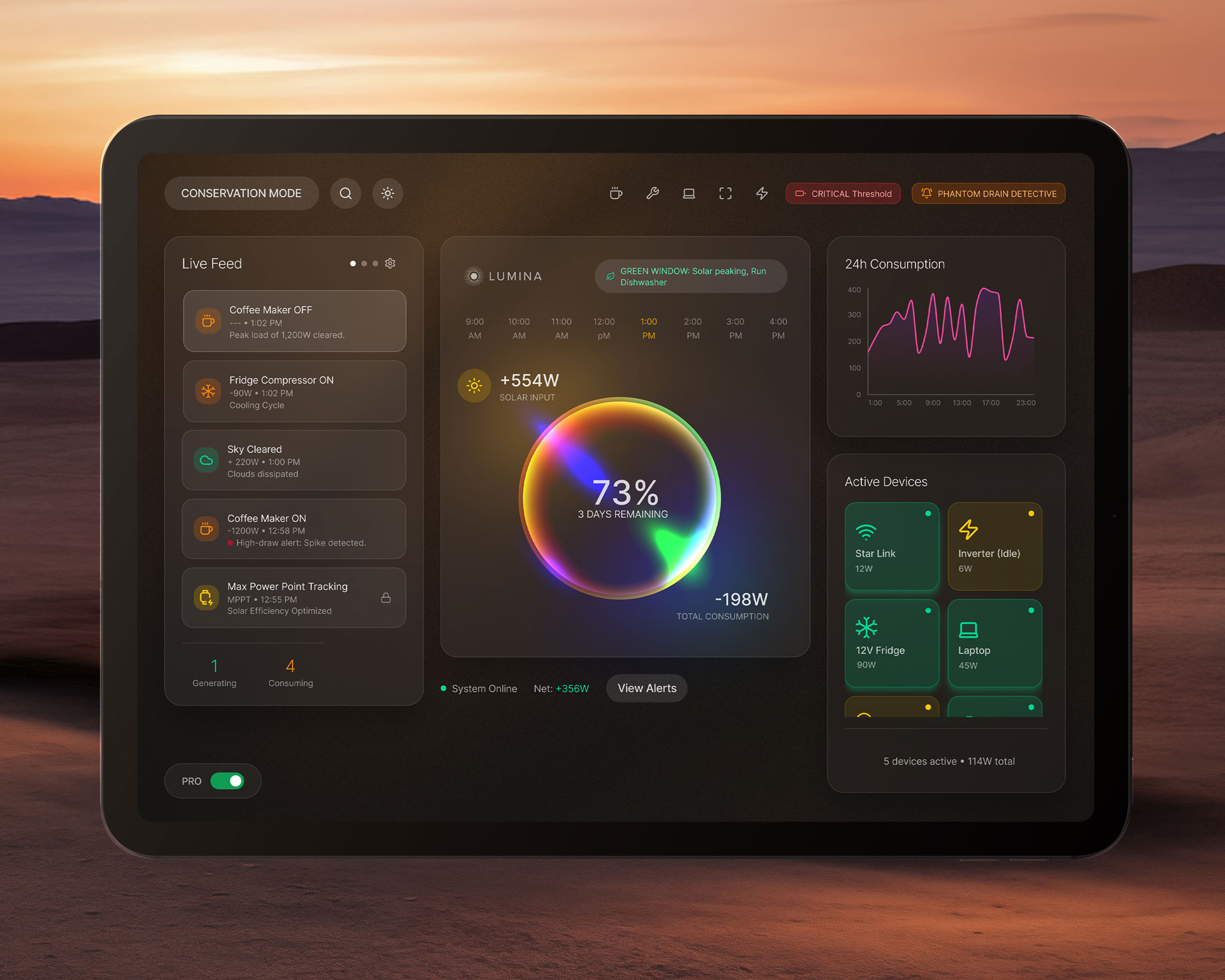
Lumina is an embedded solar battery management system designed for off-grid RV living. By transforming complex power telemetry into an intuitive, high-contrast interface, the system empowers users to monitor, diagnose, and protect their energy infrastructure during critical travel conditions.

The Challenge:

In an RV, power is the difference between a seamless journey and an emergency. Existing battery management systems often overwhelm users with raw, technical data (voltage, amperage, watt-hours) that is difficult to parse while stationary, and nearly impossible to interpret while driving or in the dark.

For the Lumina system, the challenge was threefold:

Cognitive Load: Translating complex electrical telemetry into a language non-engineers can understand instantly.
Environmental Constraints: Designing for a wall-mounted tablet in a space where light pollution, screen glare, and physical stability (vibration) are constant factors.
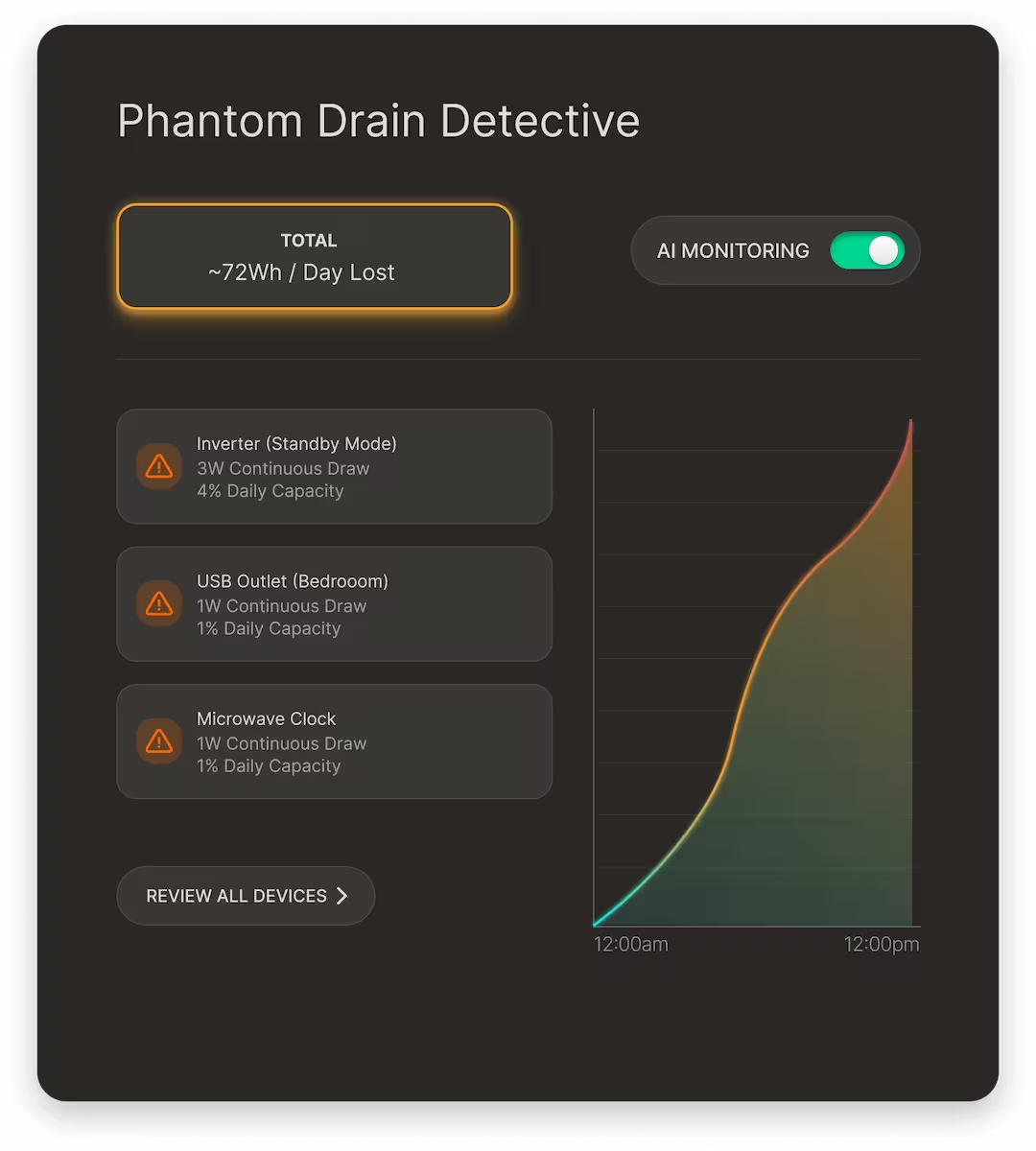
Emergency Readiness: Ensuring the system doesn’t just “show” data, but actively guides the user through power crises (e.g., the “Phantom Drain” issue) before the batteries die.
The Approach:

To design an embedded interface that prioritizes actionability over raw information, creating a design system that feels stable, legible, and reassuring under high-stress conditions.

Deliverables:
Component Library: A standardized collection of UI elements (Data Cards, Status Toggles, Graphs) engineered for low-latency tablet hardware.
State Management: Documented logic for three distinct operating modes: Standard, Analysis (Phantom Drain), and Critical (Conservation Mode).
Adaptive Theme System: A high-contrast, dark-first UI optimized for low-light environments and battery preservation.
Technical Specifications: Component-to-code mapping, interaction behaviors, and design tokens for consistent implementation.
Functional Prototype: An interactive flow demonstrating the “Critical Alert to Recovery” user journey.
Role:
Lead Product Designer (End-to-End)
Timeline:
10 weeks
Year:
2026

The Process:

Iterating Under Constraints

Designing for an embedded system meant that every UI element had a performance tax. My process was rooted in frequent prototyping to ensure that high-fidelity designs didn’t lag on the tablet hardware.

The Rejected Path:

High-Density Data Overload

Initially, I attempted to show all solar array data—voltage, current, temperature, and historical yield—on a single, dense screen.

The Problem: During testing, the information density caused “analysis paralysis.” Users struggled to find the primary energy output indicator amidst the technical noise.
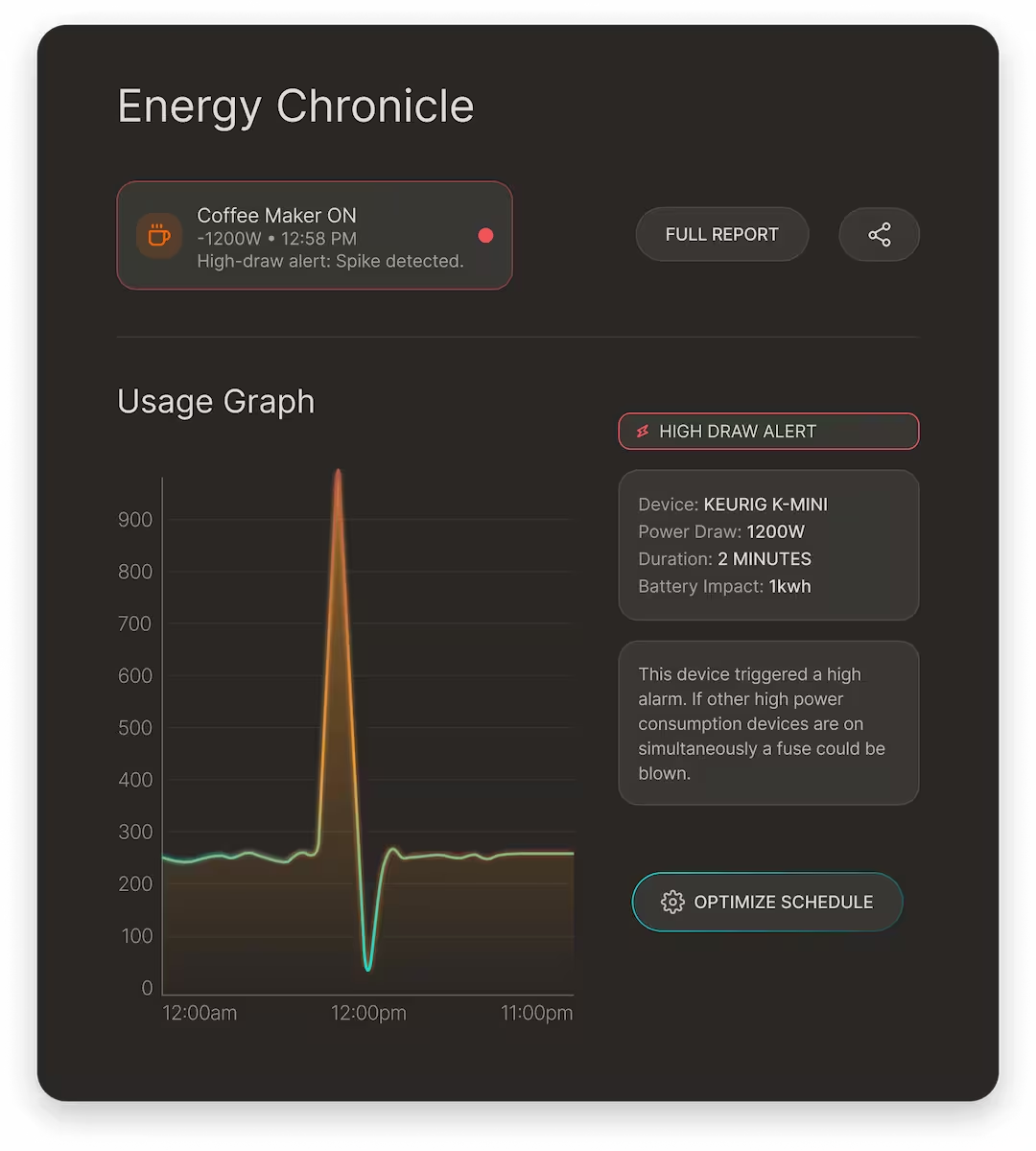
The Pivot: I moved to a Layered Disclosure model. The Home dashboard now provides high-level health (the “State of Charge” ring), while deeper metrics (Panel Scan, Chronicle View) are accessible via clear, modular touch-points.
Refining for the Environment:

I ran a “Vibration Test” by sketching UI components and placing them on a mock tablet to test touch accuracy.

The Insight: Precise, small sliders were impossible to hit during movement.
The Solution: I replaced slider inputs with wide-tappable buttons and toggle-based interfaces, which I documented as a core requirement in the Lumina Component Library.

The Design System:

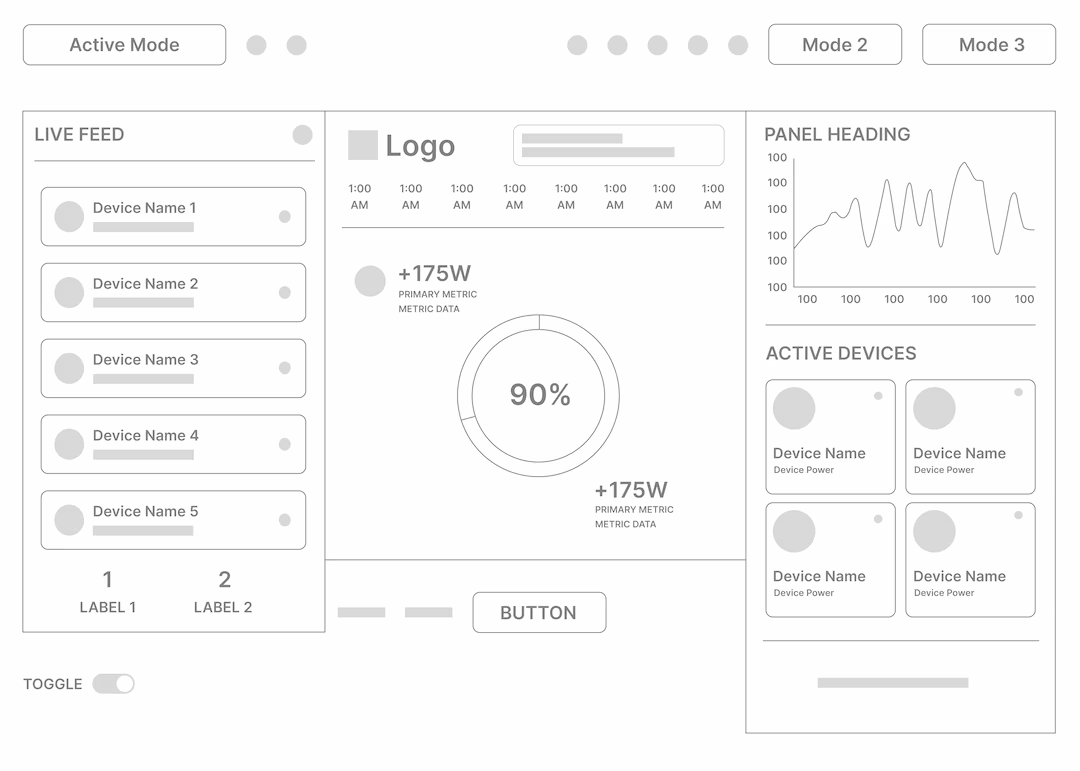
To maintain consistency across a complex ecosystem of views, including high-level monitoring, deep-dive diagnostics, and emergency states, I developed a modular architecture. This ensured that whether a user was checking a Live Feed or running a Panel Scan, the mental model remained the same.

The Component Framework

I organized the system into three functional categories to ensure the UI remained performant on embedded hardware:

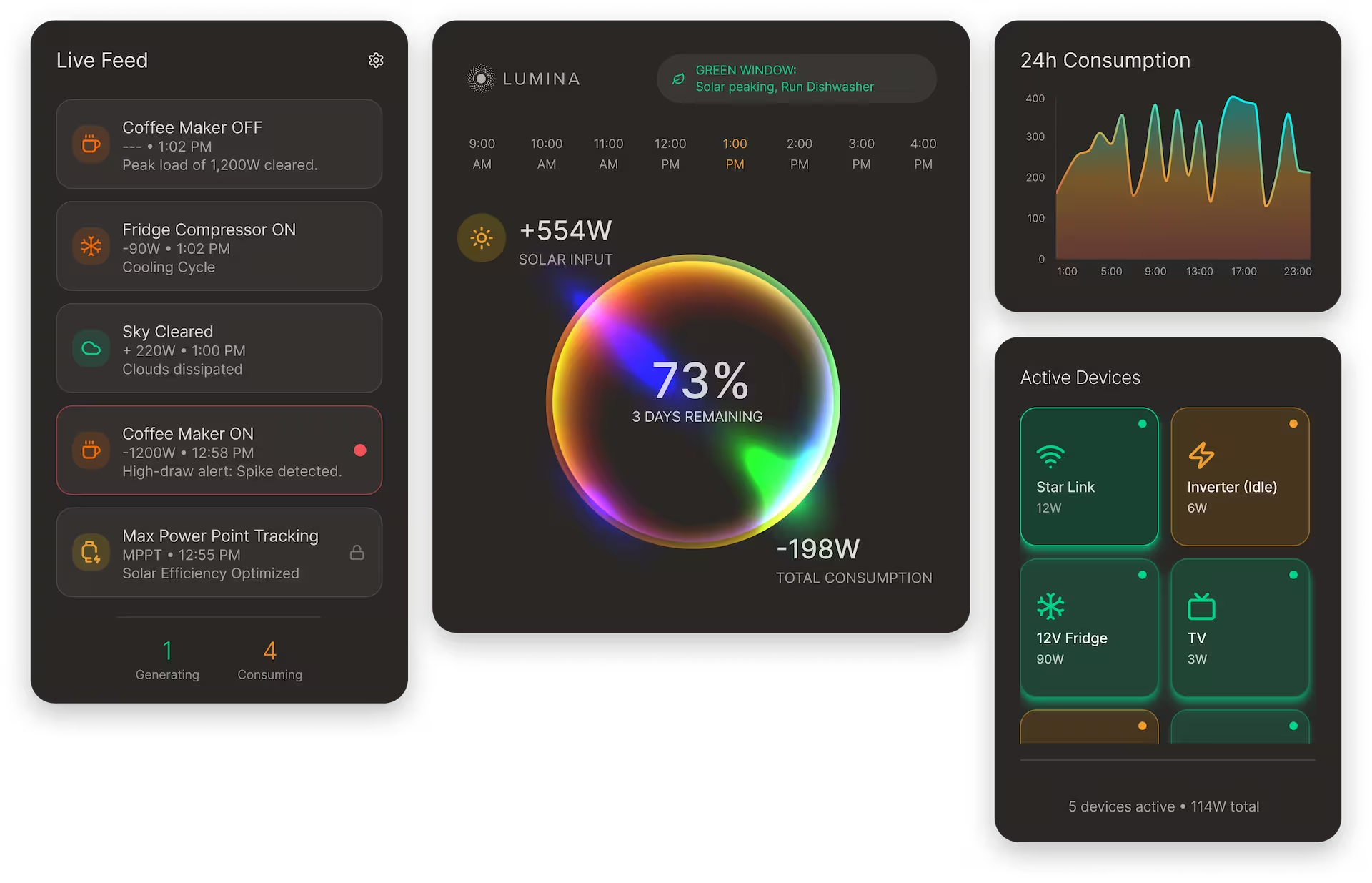
Global Navigation & System Alerts: A persistent top utility bar that provides instant access to Conservation Mode, Search, and high-priority alerts like the Critical Threshold and Phantom Drain Detective. This ensures that emergency actions are never buried.
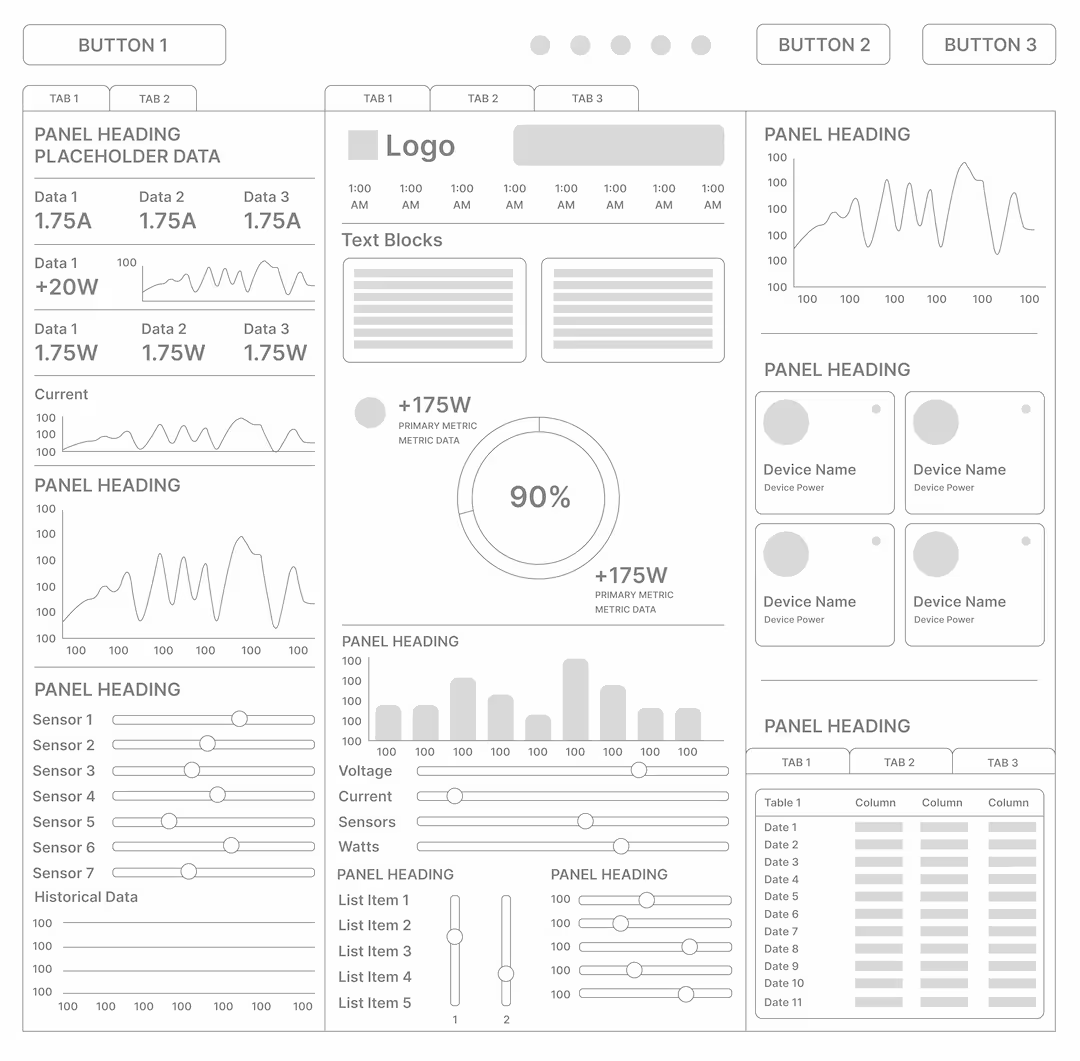
Modular Grid Layout: A flexible, three-column system optimized for a 10-inch landscape tablet.
Left Column (Activity): The “Live Feed” for chronological system events.
Center Column (Primary Health): The “State of Charge” ring—the most critical metric—occupies the focal point.
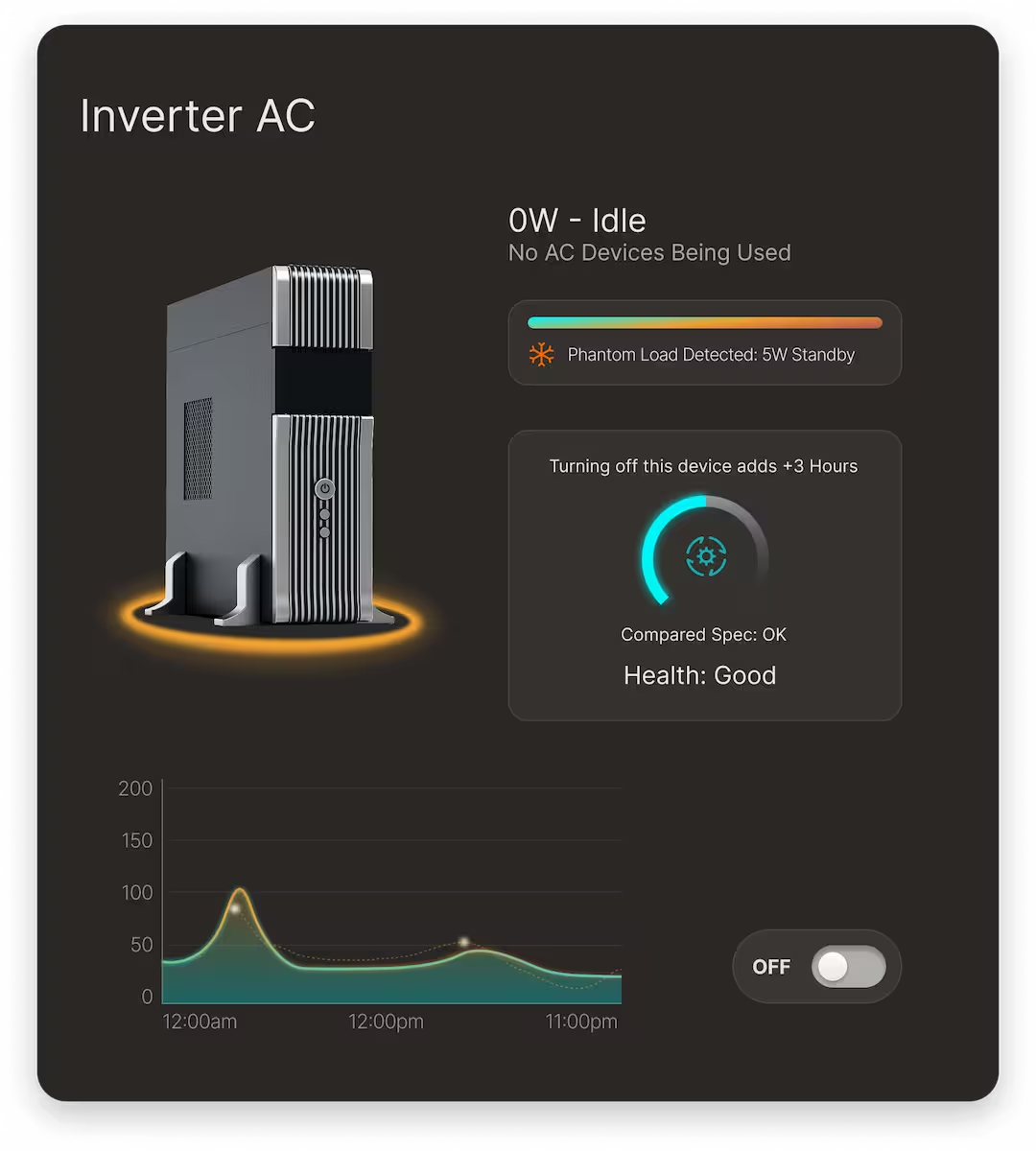
Right Column (Consumption): 24h usage graphs and active device toggles.
Action-Oriented Overlays: To prevent navigation fatigue, I designed specialized modals. These appear as focused layers over the home dashboard, allowing users to perform deep-dive diagnostics without losing their primary context.
Visual Logic & Hierarchy
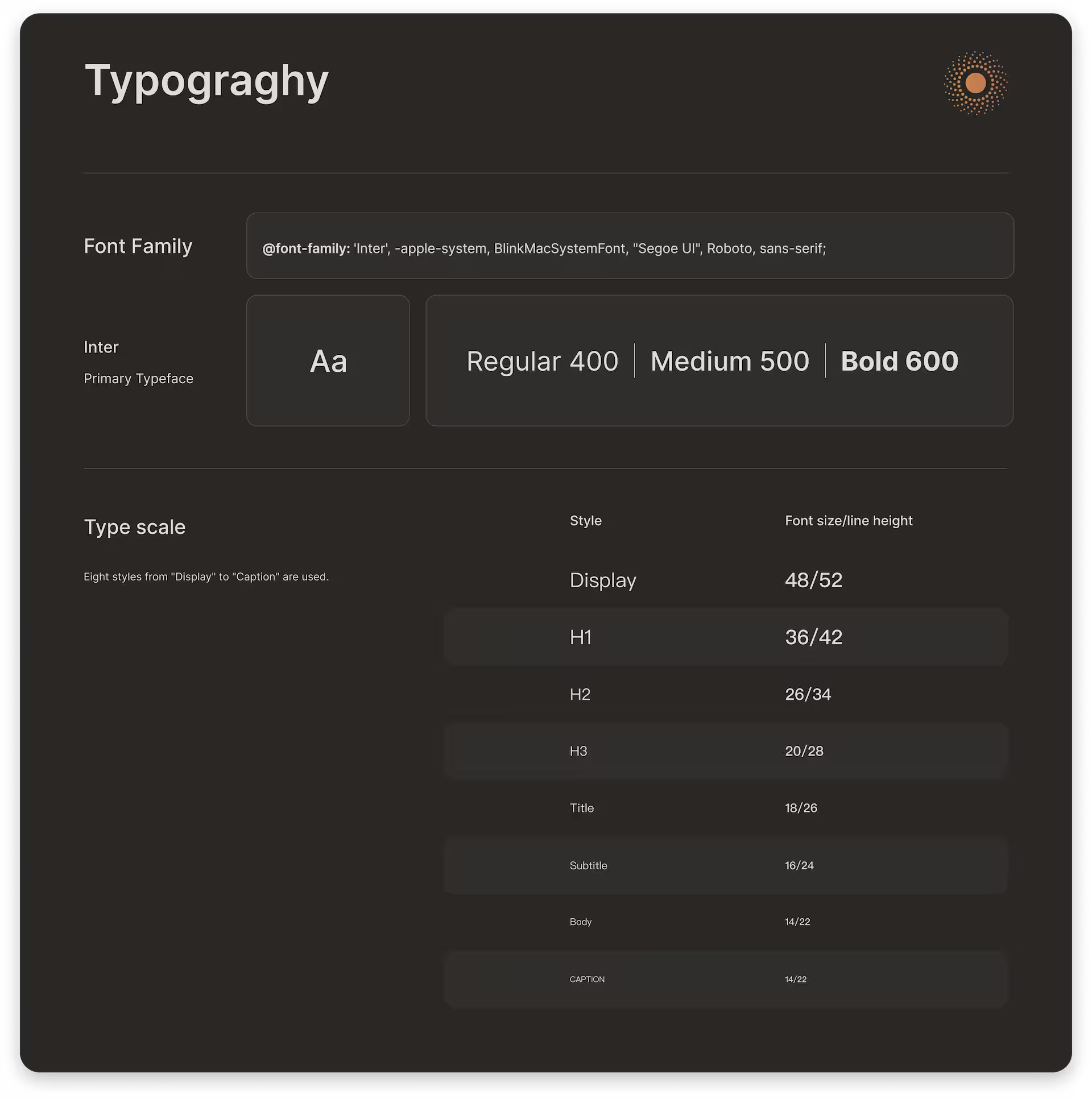
Typography for Distance: Using a robust sans-serif with generous leading to ensure that the +554W Solar Input and 73% Battery levels are readable from across the RV cabin.
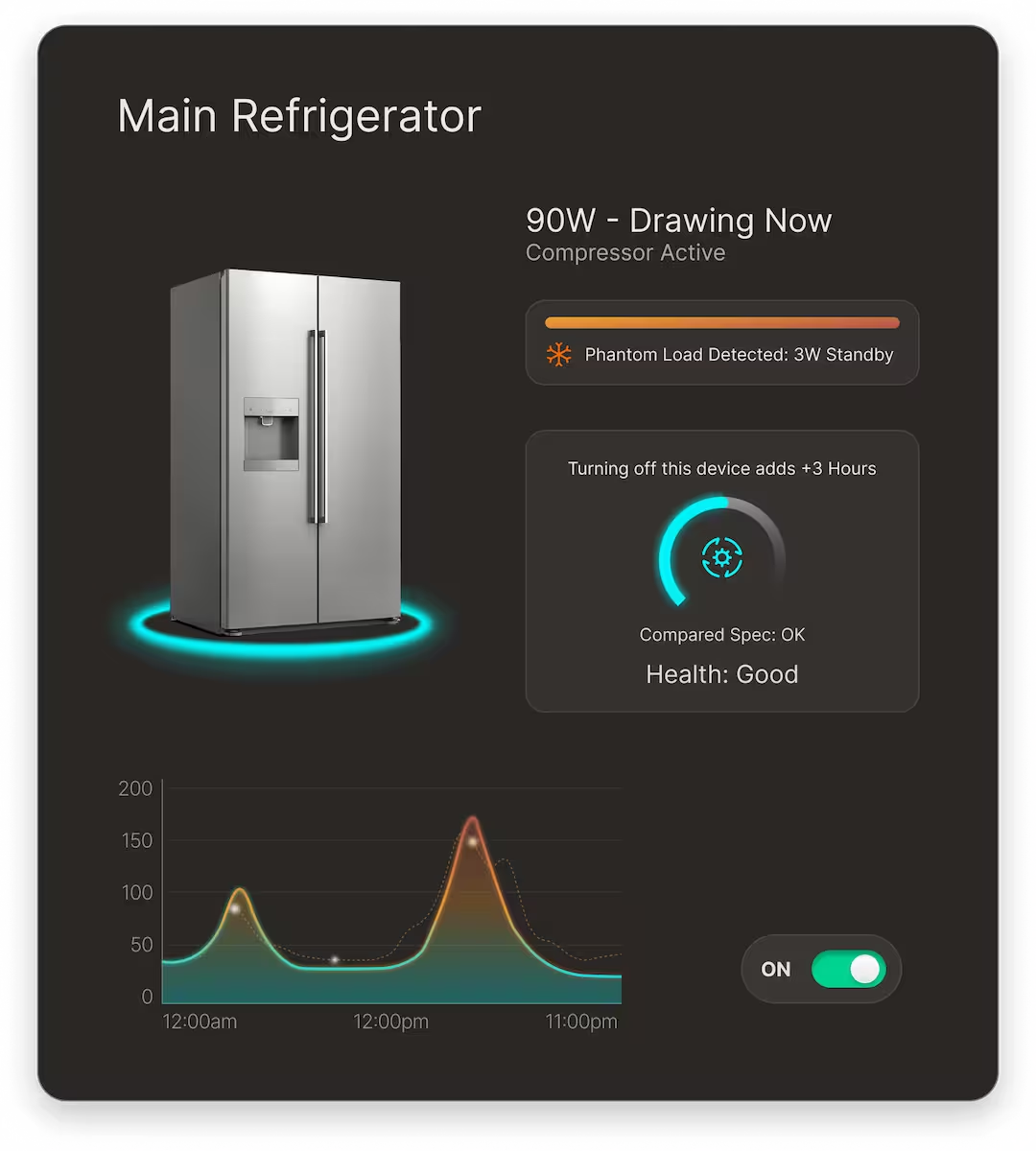
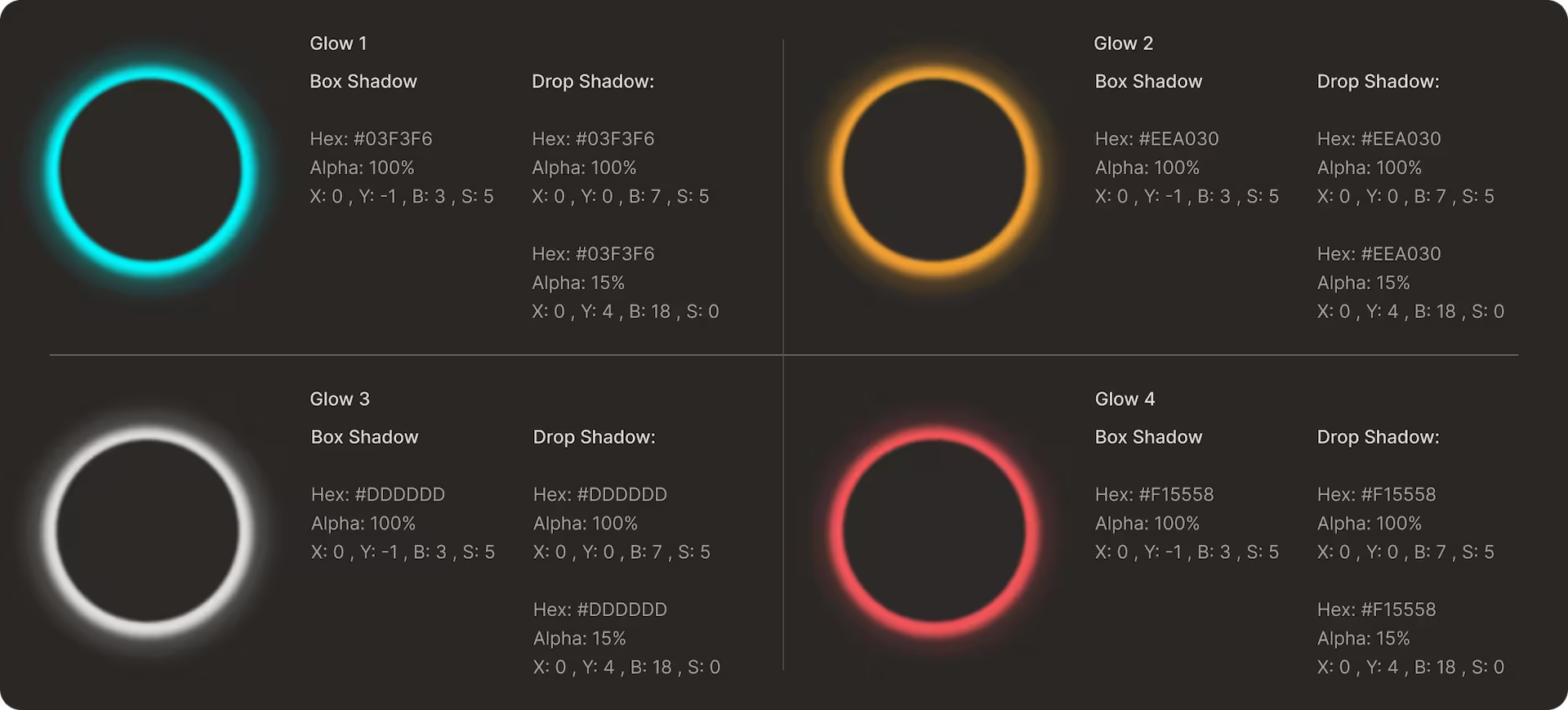
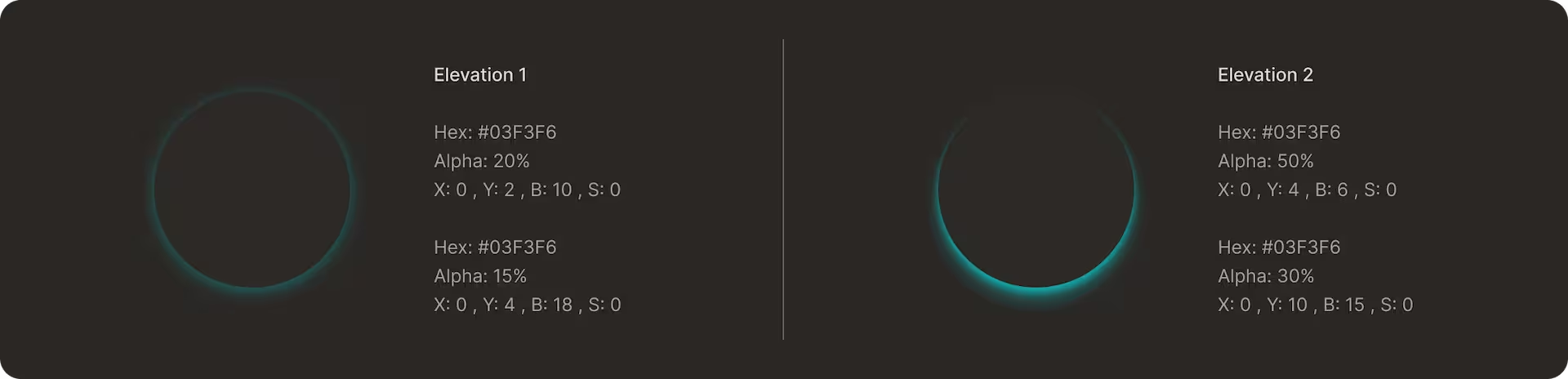
Glow & Interaction States: I used focused glows to guide the eye toward “Active” or “Healthy” states, contrasting against the dark, neutral background.
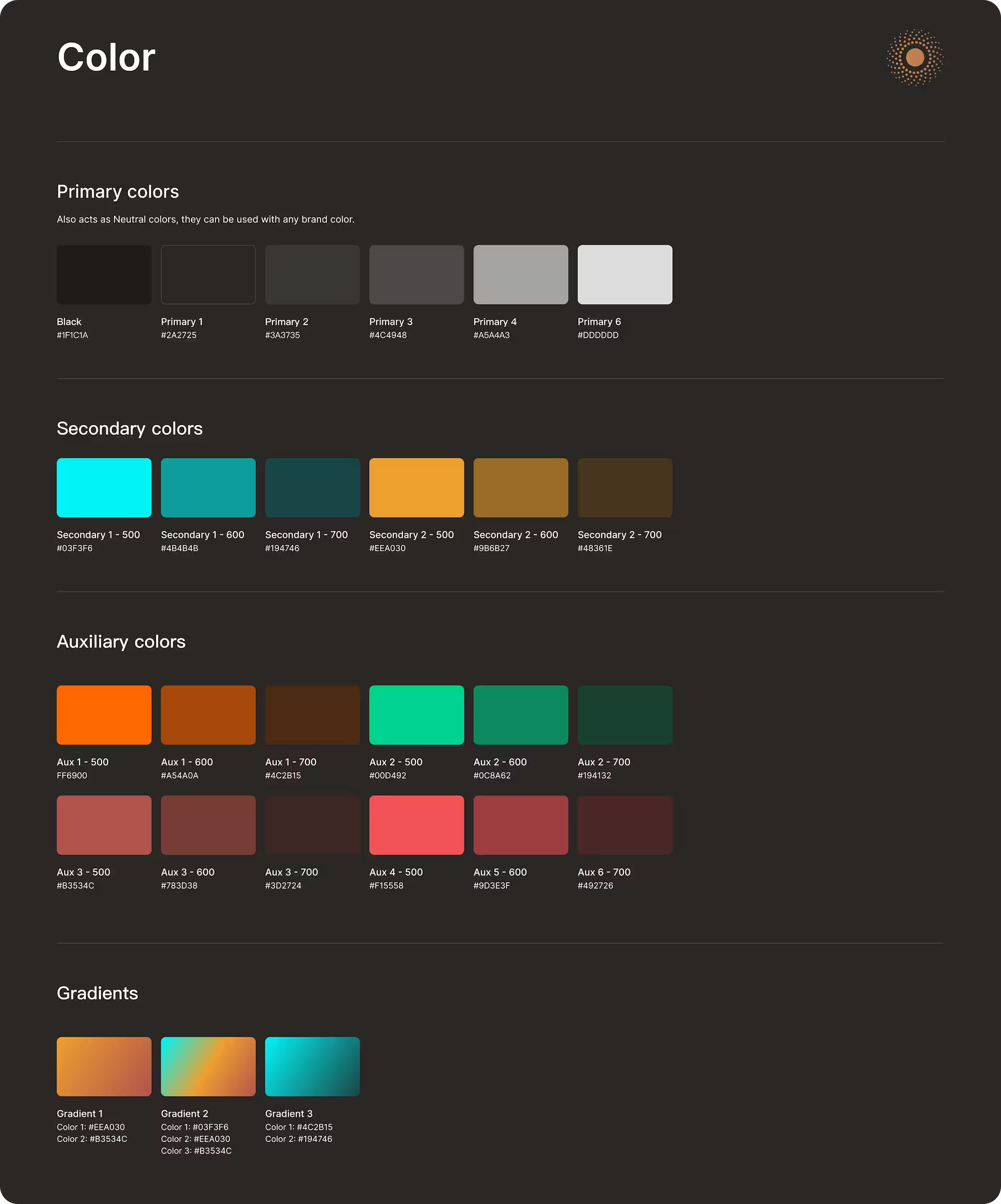
The Importance & Status Spectrum: I implemented a unified color logic across all UI elements, including buttons, tags, alerts, and system messages, to communicate urgency and state at a glance:
Cool Cyan/Green: Indicates optimal performance, “Active” / “On” states, and healthy throughput.
Amber: Signifies medium performance or “Idle” states.
Orange: Reserved for warnings, system alerts, or detected phantom loads.
Muted Red: Suboptimal states, power-draining devices, low-yield panels, or poor energy-efficiency.
Vivid Red: Reserved exclusively for danger levels, high loads, critical failures, and “Shield Active” emergency states.

RESEARCH

Determine which specific power events cause the most stress for off-grid travelers.
Assess how quickly users can translate raw electrical units (Watts, Volts, Amps) into actionable insights like “Time Remaining”.
Analyze the limitations of existing analog and digital battery monitors to identify where they fail to provide “at-a-glance” system health.
Test the user’s desire for automated intervention, such as power-shedding modes, versus manual control during low-battery states.

DEFINE

Current off-grid power interfaces prioritize raw electrical data over user intuition, resulting in high cognitive load and “energy anxiety.” There is a critical need for an adaptive interface that translates complex power data into clear, proactive insights, allowing users to make informed decisions about their energy consumption without requiring technical expertise.

IDEATE

To ensure the success of the Quote Estimator, I mapped out the primary objectives for both Scottsdale Pools and their prospective clients. The challenge lay in the inherent tension between the two: the user wanted immediate, anonymous information, while the business wanted high-intent contact data. By identifying the “Sweet Spot” where these goals overlapped, I was able to design a solution that provided value to the customer while protecting the company’s sales resources.

Users Goals:
Instant pricing transparency
Low-pressure exploration
Visual inspiration
Business Goals:
Eliminate unqualified leads.
Shorten the sales cycle.
Showcase premium upsells.

With a clear understanding of Brad’s (user persona) frustrations, I facilitated a series of collaborative sessions with the Scottsdale Pools stakeholders to bridge the gap between user anxiety and business needs. We moved away from the idea of a “better form” and instead looked for inspiration in high-end consumer configurators, such as luxury automotive and custom tech hardware sites. Our goal was to replicate the “white-glove” showroom experience digitally, allowing users to explore, play, and educate themselves in a low-pressure environment.

We focused on the concept of Progressive Disclosure, debating how much information to give for “free” versus what should be gated. We realized that for a luxury product starting at $55,000, the “Contact Us” button was a massive psychological barrier. By sketching out logic flows that prioritized visual feedback and real-time pricing updates, we aimed to transform the quoting process from a stressful interrogation into an aspirational design tool.

MOCKUP

My transition to high-fidelity mockups focused on transforming a complex construction process into a premium, self-service experience. I utilized progressive disclosure to break the technical configuration into a digestible, card-based flow with imagery. To appeal to the data-driven user, I implemented a dynamic price range display for real-time transparency. To bridge the gap between technical data and user aspiration, I replaced dry industry jargon with lifestyle-driven copy, framing the estimator as a design journey rather than a construction form.

PROTOTYPE

My prototype design philosophy is rooted in the belief that a digital tool should feel like a collaborative consultation rather than a static form, prioritizing a narrative-driven flow that guides users from “dreaming” to “committing.”
By moving into high-fidelity early, I ensured that testing captured not just functional logic but authentic emotional responses to the brand’s premium value, maintaining a “Luxury Technical” aesthetic that builds immediate trust. I intentionally treated friction as a diagnostic tool, prototyping complex logistical hurdles to identify “micro-hesitations” and then solving them through progressive disclosure and lifestyle-driven copy.
Ultimately, my goal was to prove that a prototype should be a hypothesis in motion, one that protects the user’s emotional momentum by balancing technical accuracy with a seamless, aspirational design journey.

TESTING

Instead of a guided tour, participants were given a specific budget and a “wish list” (e.g., “Build a pool for $120k that includes a water feature, spa and pool heater”).
I recruited 11 participants from Scottsdale Pools current lead database who strictly matched the primary user persona: homeowners aged 35–55 with an annual household income of $150k+.
The Goal: Ensure the feedback came from people with real “buying intent” and a high standard for digital experiences.
Moderated think-aloud remote testing via Zoom using a high-fidelity Figma prototype.

ITERATION

IMPACT

LESSONS

The most significant takeaway from this project was discovering the gap between a user’s aspirational vision and their technical knowledge.
During early testing, I assumed that homeowners, the primary decision-makers, would have basic logistical data about their property. I was surprised to find that while users were highly confident in choosing finishes and features, they were completely sidelined by a simple question about gate width and utility easements. This “logistical friction” caused visible anxiety and, in some cases, nearly led to session abandonment.
Removing the “Dead End”: I introduced the “I’m Not Sure” smart-defaults to keep the momentum alive.
Visual Translation: I added relatable comparisons with technical measurements (e.g., “Narrow Gate” vs. “Wide Gate”).
In high-ticket industries like luxury construction, UX is about maintaining confidence. If a tool makes a user feel “uninformed,” they will leave. By designing for uncertainty, I was able to keep users moving through the funnel, proving that protecting the user’s momentum is just as important as the accuracy of the final number.

UI DESIGN

I used a glassmorphic and fluid aesthetic to create a premium, immersive user experience that mirrors the product itself. By combining high-gloss textures and soft gradients with clear, illustrative iconography, the design is meant to transform a complex construction process into a transparent and approachable journey. The modular cards and high-contrast selection states are strategically designed to reduce user anxiety and simplify decision-making, ensuring that technical details feel like seamless steps toward a luxury purchase rather than overwhelming obstacles.

Scroll to Top